Showing posts with label webtool. Show all posts
Thursday, October 22, 2015
Writing Resources
Monday, February 16, 2015
Blendspace
Create lessons in 5 minutes? Wow! It is definitely worth a try. Blendspace is a free web tool that allows teachers to organize content for a blended learning environment (the website says 5 minutes, but it may take a tad longer than that).
Begin by creating an account and clicking the
button. Watch this 1 minute video to learn how to add elements to the created lesson.
The handy toolbar along the right side of the screen will allow you to quickly find and insert content into the blendspace:
Remember to click the
button to check the preferred PRIVACY and SHARE settings before sharing the blendspace with students

Search the blendspace knowledge base for further information.
Thursday, February 12, 2015
Tagul - Clickable Word Clouds
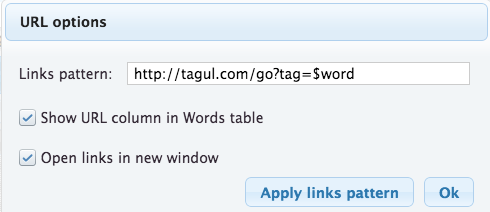
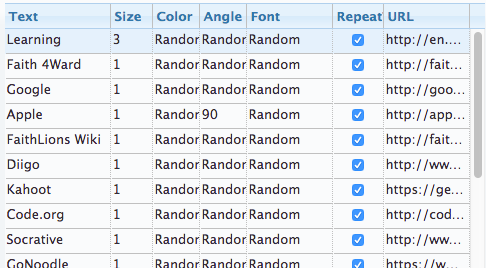
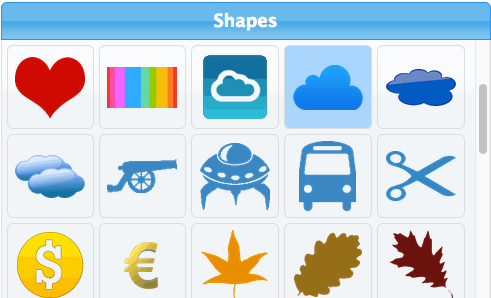
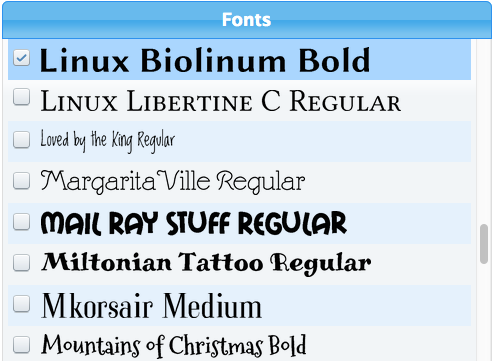
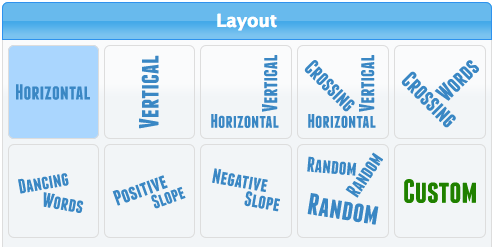
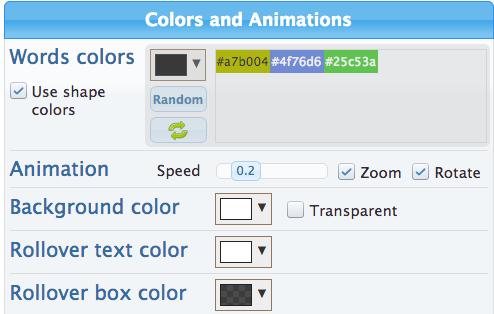
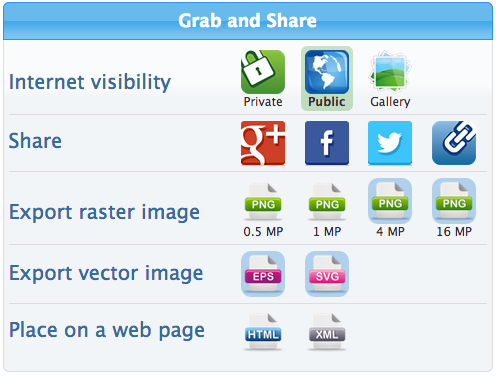
Tagul is a fantastic free tool to reinforce academic vocabulary. The tool provides various shaped word clouds with an added feature - interactive links specified by the cloud creator (try clicking the cloud shown above).
- Create an account or sign in:
- Click OK
Wednesday, December 31, 2014
2014 Posts You May Have Missed
- Connected Educators - Take time to grow your personal learning network and connect with other educators with tools such as Twitter.
- Chatterpix Kids - Chatterpix Kids is a fun iPhone/iPad app with many possibilities for many curricular areas.
- Journaling Apps - This post spotlights the Things to Think About app and the Write About This app.
- Poetry Month - This post from April spotlights nine poetry apps.
- Infographics - This post covers infographic design, ideas for using them, and tools to create infographics.
- Flipped Classroom Resources - This post highlights two resources that embed interactivity into video - EdPuzzle and Educanon.
- Book Creator - The Book Creator app is a tool that allows students to publish work in an epub format.
- Brain Breaks with GoNoodle - GoNoodle offers a variety of brain break activities for any grade level. Do not miss this post as this free resource is way too much fun!
- Differentiation with Stick Pick - The Stick Pick app is similar to the old fashioned can of popsicle sticks, but teachers can utilize the Bloom's question stems found in the app to focus on students' various cognitive levels.
- Tackk - Create flyers, presentations, projects, blogs, and lessons with this digital resource.
Labels:
apps,
brain breaks,
collaboration,
connected educators,
differentiation,
flipped classroom,
infographics,
interactive,
iOS,
iPad,
journaling,
PLN,
poetry,
professional development,
questioning,
twitter,
webtool
Tuesday, December 2, 2014
Discovery Education's Board Builder
Board Builder, a student and teacher tool found in Discovery Streaming, is a great way to deliver media content. It is completely flexible and allows for creativity. Think of presenting with a digital poster board.
Getting Started
To get started, log into your Discovery Streaming account:
Next, go to BUILDER TOOLS > BOARD BUILDER:
Select a theme:
Enter a TITLE and DESCRIPTION into the CREATE BOARD window and click CONTINUE:
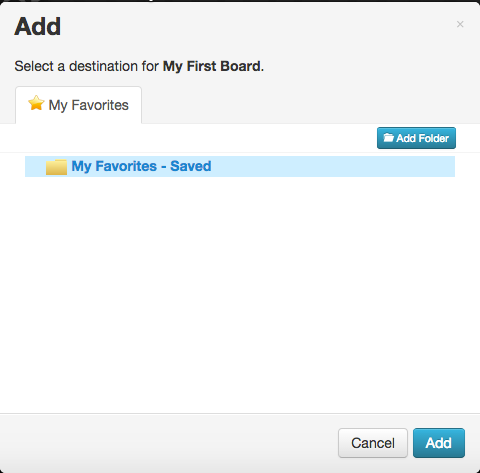
Select an existing folder or use the ADD FOLDER button to add a new folder and click ADD:
Text Objects
- Click a text object to enter text
- Click the PENCIL button to display the EDIT TEXT toolbar:
- Use the EDIT TEXT toolbar to format the text object:
Media Objects
Complete one of the following to insert media into a media object:
- Click SEARCH to search the Discovery media library, click the orange +ADD button, and click the ADD SELECTED RESOURCES button
- Click MY CONTENT to access and insert media already saved in your MY CONTENT area
- Click UPLOAD to upload your own media
Adding Attachments
NOTE: The maximum file size for attachments is 100mb and the maximum amount of files is five.
PERMITTED FILE TYPES:
- Click the UPLOAD button found in the attachment object to upload a file
- Click the ADD FILES button
- Navigate to the preferred file on your computer
- Repeat steps 2-3 above to add other files NOTE: The maximum file amount is five
- Click START UPLOAD
- Click DONE after the upload process is complete
Working with Objects
Editor Tools
Use the Editor Tools to undo an action, redo an action, change the theme of the board, add items (such as Headlines, Textboxes, Media, and Attachments), apply text styles, change the foreground colors and patterns, and change the background colors and patterns.
Save and Share
Before logging out of Discovery Streaming, be sure to click the
button found in the top, right corner.
In order for others to see the board, click the
button and select SCHOOL, DISTRICT, DE COMMUNITY, or NOT SHARED:

Watch this 5 minute video by Kayla Steiner on how to create and share your teacher board.
Monday, November 17, 2014
Attend a Conference - VIRTUALLY!
I was not able to attend Edcampalooza on Saturday, however I was able to join in on the fun virtually through Twitter. I logged in midday and searched for the hashtag #edcampalooza:
Within minutes, I had a new set of great resources shared by fellow educators.
Just to name a few:
That Quiz
This simple, yet effective, online tool can quiz students on a variety of math objectives.
Newslea
Newsela is a personalized reading site created to help students master non-fiction literacy by providing daily news articles at five reading levels.
Zaption
Zaption allows teachers to insert images, text, quizzes, and discussions to online videos found on YouTube and Vimeo to create a more interactive experience for students.
Typeform
Typeform is a form creation tool that has many color pallet options, form options that engage the user, and their goal is to "make forms awesome."
Move the Turtle
The Move the Turtle app for iphone and ipad teaches the basics of computer programming. This $2.99 app would be a great resource for the Hour of Code coming up in December.
Friday, September 19, 2014
Tackk
Tackk is a free web content creation tool that teachers will want to check out. Users can create flyers, presentations, projects, blogs, and lessons with this easy tool.
The Tackk editor walks users through the process of creating a personalized tackk. Begin adding a visual with the ADD PHOTOS button. Tackk searches the 500px site and inserts credit to adhere with copyright law.
A simple, yet effective, text tool can be used to insert content and multiple widgets including video, audio, buttons, selling and accepting donations, forms, RSVP submissions, and others can be embedded into a tackk.
Many other questions can be answered at the Tackk FAQ page.
Subscribe to:
Posts (Atom)